MailChimp
此插件可以根据联系人操作或积分触发器将联系人发送到 MailChimp 列表。
授权
获取 MailChimp API 密钥
创建 MailChimp 账户。
前往 账户 / 附加功能 / API 密钥 并创建一个新密钥。
复制创建的 API 密钥。
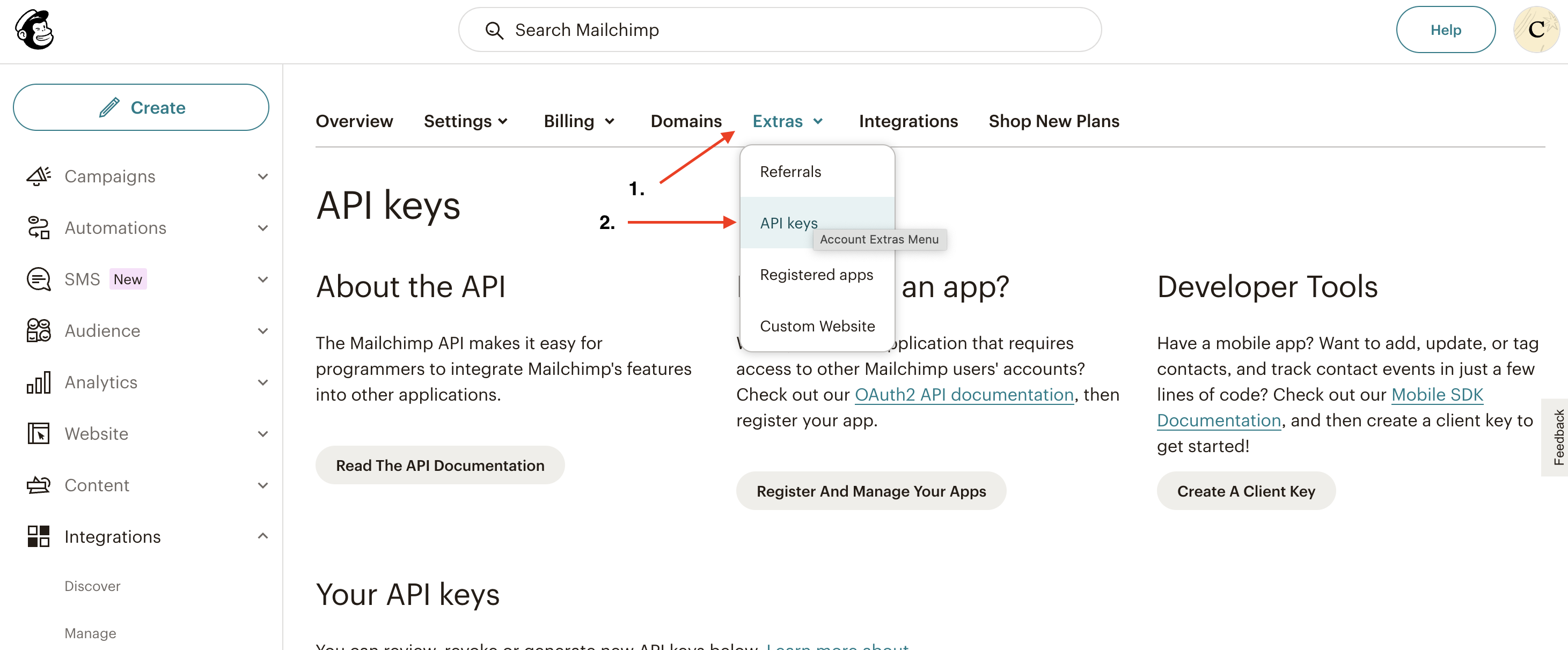

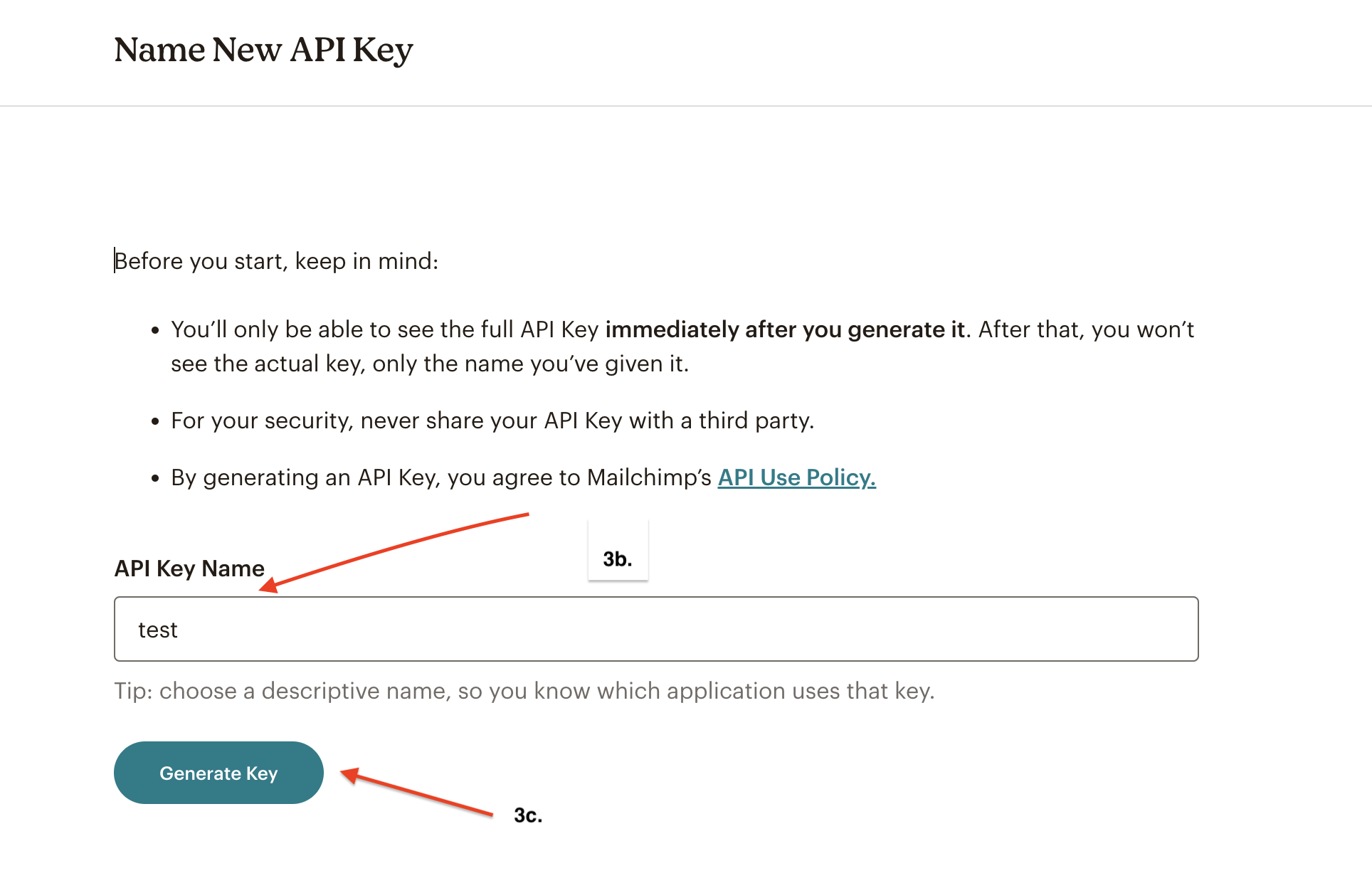
授权 Mautic - MailChimp 插件
填写您 MailChimp 账户的 用户名
添加 API 密钥
点击 *保存并关闭*
配置插件
导航到插件配置模态框中的 功能 标签。您应该会看到以下提示:
Note
联系人字段映射标签将在选择分组后出现,并在更改所选分组后更新。

选择分组。
如果您尚未在 MailChimp 中创建分组,请前往 MailChimp 仪表盘 / 分组 / 创建列表 并创建一个。
保存插件配置
再次打开。
联系人字段映射 标签现在应该出现了。
配置字段映射。
其他配置选项
推送联系人到此集成
Mautic 默认启用这些选项。如果关闭它们,插件将不会将联系人推送到 MailChimp。
启用双重确认 - MailChimp 是否应向此插件添加的联系人发送确认邮件。联系人必须确认他们确实想加入该分组。
发送欢迎邮件 - MailChimp 是否应发送欢迎邮件。